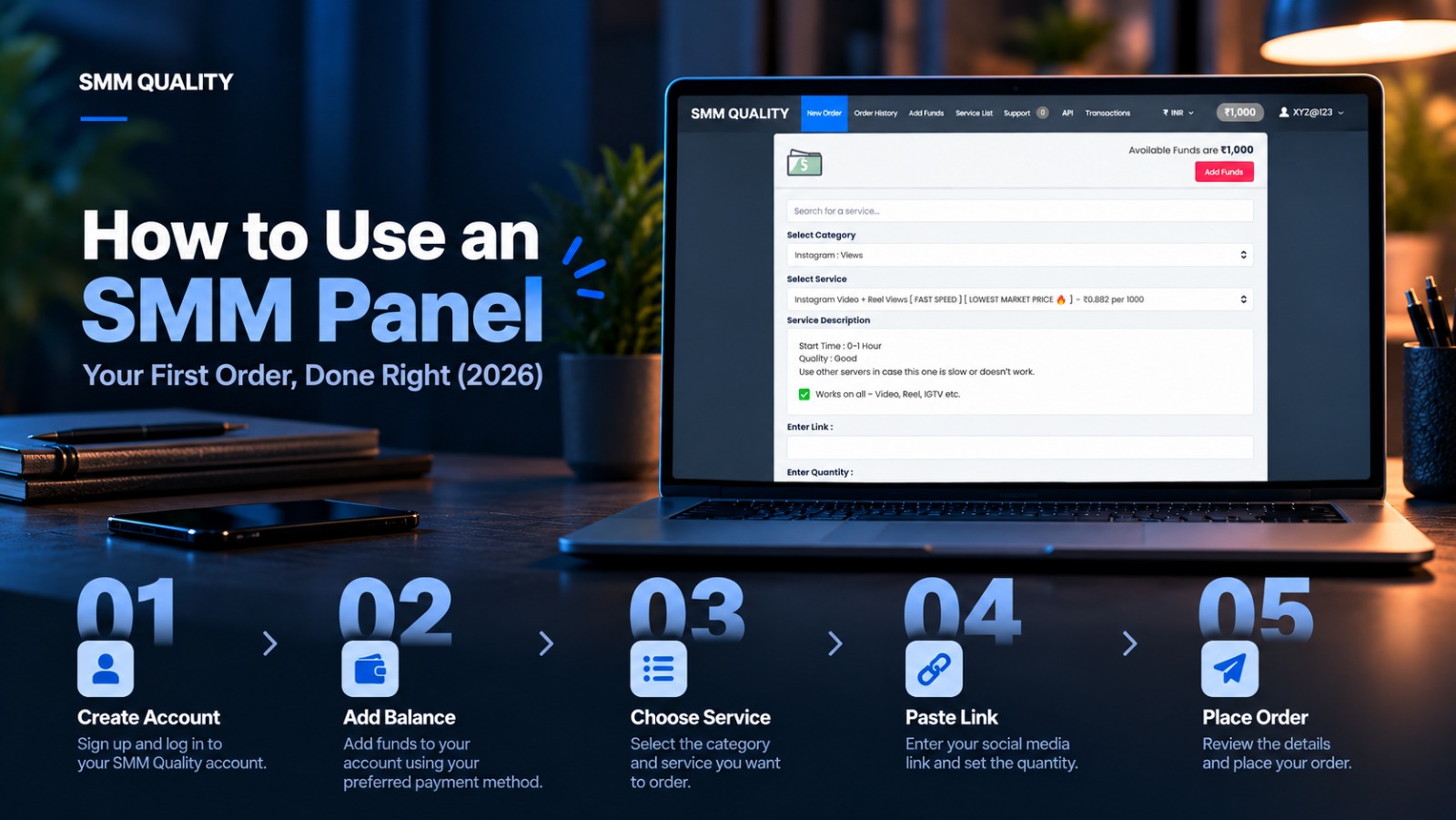
Placing an order on an SMM panel takes about two minutes. Most problems come from the two minutes before it.
A private profile, a wrong link, a service that doesn't match your goal, an order that's too big for a new account. We see all of these every week. This page shows you how to avoid them.
Short answer: To use an SMM panel, create an account, add a small balance, choose the exact service for your goal, paste the correct public link, enter a quantity within the limits, and place the order. Then check your account at 24 hours and 7 days.
Before You Spend Anything: The Pre-Order Checklist
Run through this first.
-
Your profile or post is public. The panel can't deliver to a private account.
-
You know your goal. Credibility for a new page, reach for one post, or views for one video?
-
You have the exact link. Copy it straight from the platform. Don't retype it.
-
You've chosen a small first quantity. Small orders let you check quality at low cost.
-
You have content ready. Numbers help only if your page gives new visitors a reason to stay.
Match the Service to Your Goal
| Your goal | Service to look for | Our advice |
|---|---|---|
| A new page that looks empty | Followers and likes, delivered gradually | Start small and spread it out |
| One post to get more reach | Views or likes on that specific post | Use the post link, not the profile link |
| A YouTube video to look established | Views on that video | Use the video link |
| A Telegram channel to look active | Members and post views | Use the channel or post link |
| A new Reel to get early traction | Reel views | Use the Reel link |
Which Link Do You Paste?
This is the most common mistake. Services ask for either a profile link or a post link. They are not interchangeable.
| Platform | Profile link looks like | Post link looks like |
|---|---|---|
| instagram.com/username | instagram.com/p/… or instagram.com/reel/… | |
| YouTube | youtube.com/@channelname | youtube.com/watch?v=… or youtu.be/… |
| Telegram | t.me/channelname | t.me/channelname/123 |
Read the service description. It tells you which one to use. If you paste the wrong type, the order may fail or get stuck.
Your First Order, Step by Step
On any panel, including ours, the flow looks like this.
- Create your account and use a unique password.
- Add a small balance. Only what your first order needs.
- Choose the platform, then the exact service.
- Read the service description. Check the minimum and maximum quantity, start time, speed, link type, and refill terms.
- Paste your link.
- Enter a quantity within the limits. Smaller is safer for a first order.
- Use drip-feed if it's offered. It spreads delivery over time so growth looks natural.
- Place the order and note the order ID.
- Track it. Don't place a second order on the same link until the first one finishes.
Want to know what each status means? See How Does an SMM Panel Work?
Your First Week
Day 0. Place the order. Save the order ID and a screenshot of the service description.
Day 1. Check the count. Does it match the description?
Day 3. Post real content on the page. Don't let the numbers sit alone.
Day 7. Check the count again. Note any drop.
Day 8. Decide: did it deliver and hold? If yes, order slightly more next time. If not, contact support with your order ID.
What Makes the Numbers Work for You
An SMM panel adds numbers. It doesn't add reasons to follow you. If a visitor lands on your page and finds one post and no story, the numbers won't help.
Before you order, have at least a handful of strong posts live. Pin your best one. Make your bio clear about who you are and what you offer. Then the numbers do their job: they make a good page look established.
Mistakes to Avoid
Ordering on a private account. Delivery can't reach it.
Pasting the wrong link type. Profile and post links are different.
Starting big. A large first order on a small account stands out.
Two orders on one link. Most panels block it until the first finishes.
Sharing your password. A panel needs a public link. Never your login or a two-factor code.
Expecting guarantees nobody can give. Platforms can remove engagement. No honest panel promises "never drops."
A Note on Risk
Using an SMM panel is not illegal in India. But platforms' terms can prohibit artificial engagement, so account risk exists with any panel. Slow delivery, sensible quantities, and quality services reduce it.
Start with SMMQuality
SMMQuality is an India-based SMM panel for creators, small businesses, digital agencies, and resellers. We cover Instagram, YouTube, Facebook, X (Twitter), TikTok, and Telegram, with services from ₹5. Our support is available around the clock if an order stalls.
Place one small order, check it on day 1 and day 7, and judge us by what you see.
Place your first order at SMMQuality →
FAQs
How do I use an SMM panel for the first time?
Create an account, add a small balance, choose the exact service, paste the correct public link, enter a small quantity, and place the order. Then check your count at 24 hours and 7 days.
Which link do I paste, profile or post?
It depends on the service. Follower services need a profile link. Likes and views need the link to the specific post or video. The service description says which.
How much should I order the first time?
The smallest quantity that lets you check quality. You can order more once it delivers and holds.
Does my account need to be public?
Yes. A panel can't deliver to a private account.
Do I need to give the panel my password?
Never. A panel only needs a public link.
Why did my order get stuck?
Common causes are a private account, the wrong link type, or another active order on the same link. Contact support with your order ID.