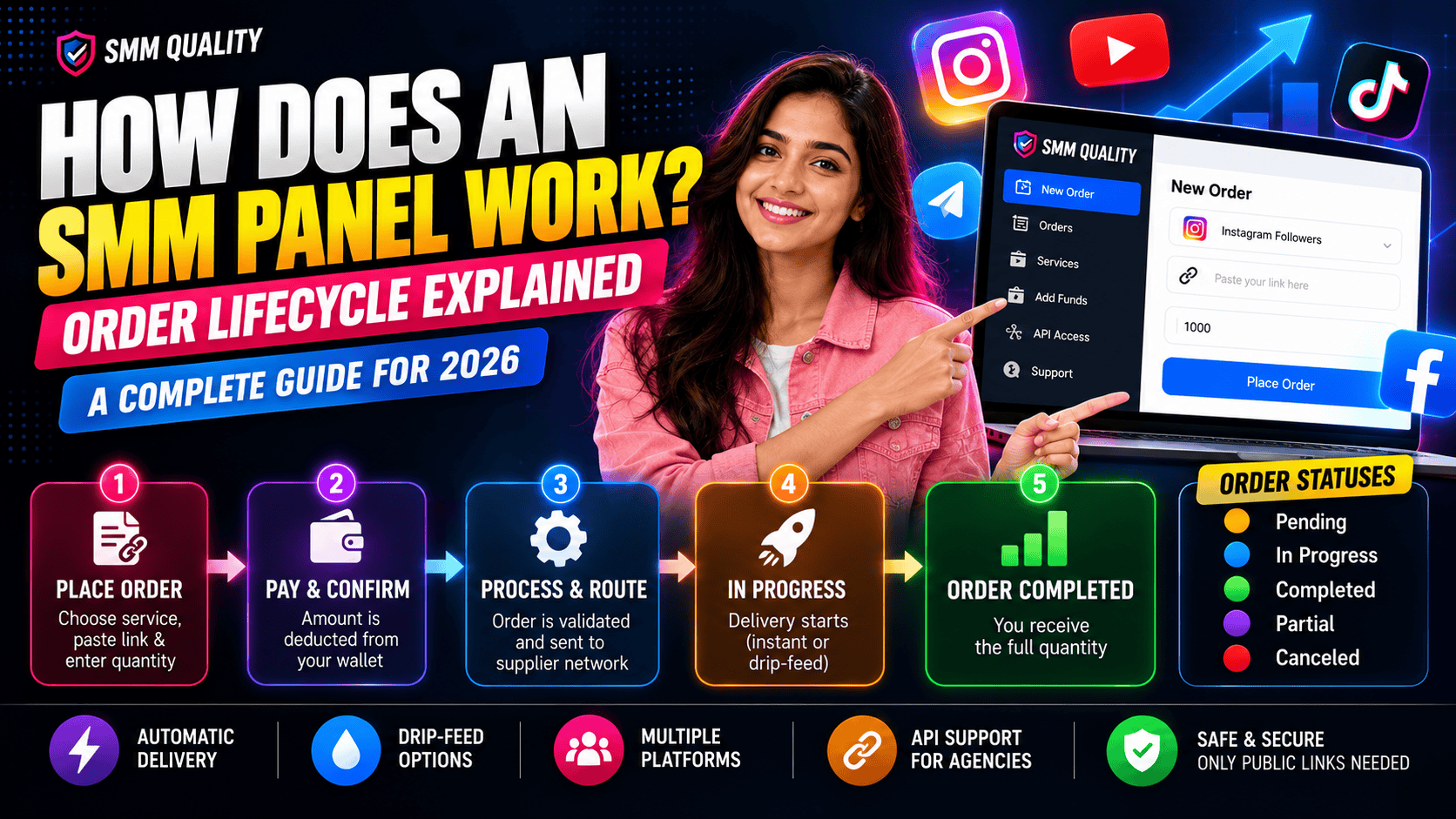
An SMM panel works as a middle layer between you and suppliers of social media engagement. You submit an order with a public link and a quantity, the panel validates it, routes it to a supplier, and updates the order status as units are delivered. The whole process is automated, so you can place an order at 3 a.m. and no one has to approve it.
Most guides stop at "sign up, add funds, order." This one follows the order itself, so you understand each status, each delay, and what to do when something goes wrong.
The Three Layers Behind Every Order
-
Front end: the dashboard, service list, order form, and wallet that you see.
-
Panel system: checks your order, deducts your balance, and sends the order onward.
-
Supplier layer: the providers that deliver the likes, views, or followers.
This is why two panels can list the "same" service at very different prices and quality. The difference is usually in the supplier layer.
The Life of One Order
Take an example: you order 500 Instagram Reel views on a post.
- Validation. The system checks that your link is public and correctly formatted, that your quantity is within the service limits, and that your balance covers the cost.
- Charge. The cost is deducted from your wallet when you place the order.
- Routing. The order goes to the supplier assigned to that service.
- Queue. The supplier starts it when capacity allows. Most start-time delay happens here.
- Delivery. Units arrive all at once or in batches.
- Completion. The status changes to completed.
SMM Panel Order Statuses, Explained
| Status | What it means | What to do |
|---|---|---|
| Pending | Order received, not yet started | Wait for the service's stated start time |
| In progress | Delivery has started | Nothing, delivery is ongoing |
| Completed | Full quantity delivered | Check your account |
| Partial | Part was delivered; the rest was refunded | Check your wallet for the refund |
| Canceled | Order could not be processed | Check the link, then reorder |
Status names can vary slightly between panels, but these are the most common.
Why Orders Start Slowly or Stall
| Problem | Likely cause | Fix |
|---|---|---|
| Stuck on pending | Supplier queue or high demand | Wait for the stated start time, then contact support with your order ID |
| No progress after start | Private account or wrong link | Make the profile public and check the URL |
| Link rejected | Profile link used for a post service, or the reverse | Use the link type the service asks for |
| Second order not accepted | Same link already has an active order | Wait until the first order completes |
| Delivery stopped midway | Supplier issue | Ask support to re-route or refund the remainder |
The "second order" rule catches many people. Most panels block a new order on the same link while the first is running, because overlapping orders confuse supplier counters.
Drip-Feed: How Gradual Delivery Works
Drip-feed splits one order into several smaller runs on a schedule.
Example: 1,000 likes set as 5 runs of 200 likes, one run per hour. This gives a gentler growth curve than a single instant jump.
Use it when your account is small and a sudden spike would stand out, or when you want engagement spread across a post's first day. Skip it when you need the numbers by a fixed deadline.
How the API Works (for Agencies and Resellers)
Instead of using the dashboard, you can connect your own system to the panel through an API. The usual flow is:
- Get your API key from your account.
- Fetch the service list to see service IDs and rates.
- Send an order with the service ID, link, and quantity.
- Receive an order ID in response.
- Check the order status using that ID.
Resellers use this to run their own storefronts, and agencies use it to automate client orders. SMMQuality works with resellers who use its wholesale pricing to build client-facing service businesses.
What a Panel Can and Can't Control
| A panel controls | A panel doesn't control |
|---|---|
| Order validation and routing | Platform algorithm changes |
| Pricing and service listings | Whether a platform removes accounts or engagement |
| Support and refunds | Your content quality |
| How clearly services are described | Whether new followers interact with your posts |
How to Read a Service Description
Before ordering, check each listing for:
-
Minimum and maximum quantity
-
Start time and speed
-
Refill or guarantee terms
-
Link type required (profile or post)
-
Rate per 1,000, so you can compare services fairly
If a listing doesn't tell you most of this, treat it as a warning sign.
A Safer Way to Use a Panel
-
Start with a small test order.
-
Use drip-feed for small or new accounts.
-
Keep your account public while the order runs.
-
Never share your password. A panel only needs a link.
-
Keep posting real content while orders run.
Ordering with SMMQuality
SMMQuality is an India-based SMM panel serving creators, small businesses, digital agencies, and resellers. It covers Instagram, YouTube, Facebook, X (Twitter), TikTok, and Telegram, with services starting from ₹5. Support is available around the clock if an order stalls.
Explore SMMQuality's services
Frequently Asked Questions
Q: How does an SMM panel deliver followers or likes?
A: It routes your order to a supplier network that delivers the quantity, either at once or in scheduled batches.
Q: Why is my SMM panel order still pending?
A: Usually because it's waiting in the supplier queue. Check the service's stated start time, then contact support with your order ID.
Q: What is drip-feed in an SMM panel?
A: It splits one order into smaller runs delivered at set intervals, so growth looks gradual.
Q: What does "partial" mean on an order?
A: Part of the quantity was delivered and the unused portion was refunded to your wallet.
Q: Can I place two orders on the same link at once?
A: Usually not. Most panels block a new order until the first one completes.
Q: What is an SMM panel API?
A: It's a connection that lets software place and track orders automatically, mainly for agencies and resellers.
Q: Do SMM panels need my password?
A: No. A legitimate panel only needs a public profile or post link.
Conclusion
An SMM panel is a routing system: it validates your order, sends it to suppliers, and reports progress through statuses. Knowing those statuses, the common causes of delay, and how drip-feed works lets you order with fewer surprises. When you're ready, explore SMMQuality's services.